AlemLLM
Alem LLM — это семейство моделей искусственного интеллекта, доступных на платформе Alem Plus через OpenAI-совместимый API.
- Ссылка на модель на Hugging Face:
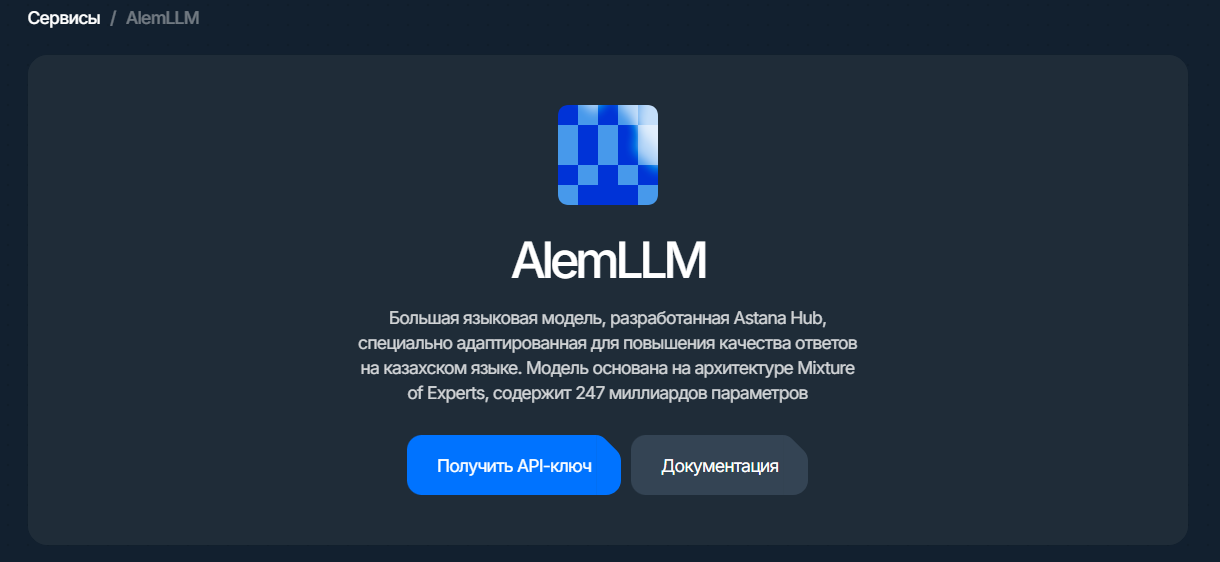
Шаг 1. Откройте AlemLLM и нажмите «Получить API-ключ»
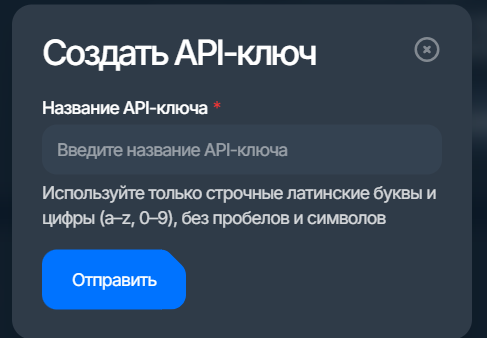
Шаг 2. Создание API-ключа
Что вы получите на Alem Plus:
- API Key
Чтобы его использовать, сделайте запрос: POST https://llm.alem.ai/v1/chat/completions
Headers: Authorization: Bearer API Key
Примеры использования в Вашем коде:
import requests

API_KEY = "YOUR_ALEM_API_KEY"
URL = "https://llm.alem.ai/v1/chat/completions" //здесь может быть Ваш зндпоит

payload = {
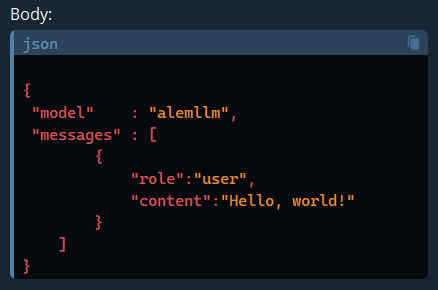
    "model": "alemllm",
    "messages": [{"role": "user", "content": "Hello, world!"}],
}

try:
    resp = requests.post(
        URL,
        headers={
            "Authorization": f"Bearer {API_KEY}",
            "Content-Type": "application/json",
        },
        json=payload,
        timeout=60,
    )
    resp.raise_for_status()
    data = resp.json()
    print(data["choices"][0]["message"]["content"])
except (requests.RequestException, KeyError) as e:
    print(f"Request failed: {e}\nBody: {resp.text if 'resp' in locals() else ''}")
const URL = "https://llm.alem.ai/v1/chat/completions";
const API_KEY = "YOUR_ALEM_API_KEY";

async function main() {
  const resp = await fetch(URL, {
    method: "POST",
    headers: {
      Authorization: `Bearer ${API_KEY}`,
      "Content-Type": "application/json",
    },
    body: JSON.stringify({
      model: "alemllm",
      messages: [{ role: "user", content: "Hello, world!" }],
    }),
  });

  if (!resp.ok) {
    throw new Error(`HTTP ${resp.status} ${await resp.text()}`);
  }

  const data = await resp.json();
  console.log("Node.js example:", data?.choices?.[0]?.message?.content ?? "");
}

main().catch((err) => {
  console.error("Node.js example failed:", err);
  process.exit(1);
});
<?php
declare(strict_types=1);
header('Content-Type: application/json; charset=utf-8');

$API_KEY = 'YOUR_ALEM_API_KEY';
$URL     = 'https://llm.alem.ai/v1/chat/completions';

$payload = [
  'model'    => 'alemllm',
  'messages' => [['role' => 'user', 'content' => 'Hello, world!']],
];

$ch = curl_init($URL);
curl_setopt_array($ch, [
  CURLOPT_POST           => true,
  CURLOPT_HTTPHEADER     => [
    'Authorization: Bearer ' . $API_KEY,
    'Content-Type: application/json',
  ],
  CURLOPT_POSTFIELDS     => json_encode($payload, JSON_UNESCAPED_UNICODE | JSON_UNESCAPED_SLASHES),
  CURLOPT_RETURNTRANSFER => true,
  CURLOPT_TIMEOUT        => 60,
]);

$raw = curl_exec($ch);
if ($raw === false) {
  throw new RuntimeException('cURL error: ' . curl_error($ch));
}
$code = curl_getinfo($ch, CURLINFO_RESPONSE_CODE);
curl_close($ch);

if ($code < 200 || $code >= 300) {
  throw new RuntimeException("HTTP $code: $raw");
}

$data = json_decode($raw, true);
echo $data['choices'][0]['message']['content'] ?? $raw;
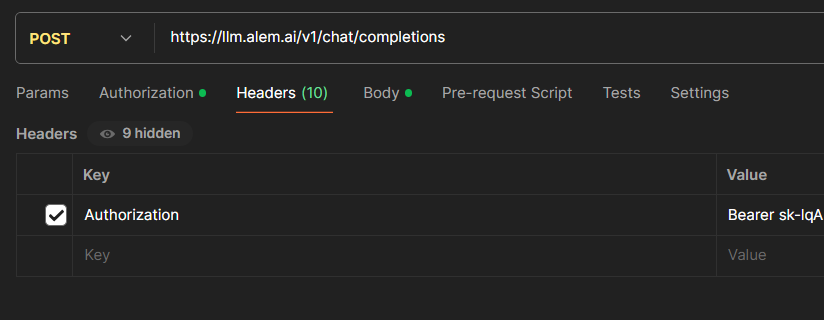
Рассмотрим как получить протестировать Alem LLM с помощью POSTMAN.
Укажите метод POST и свой API-KEY
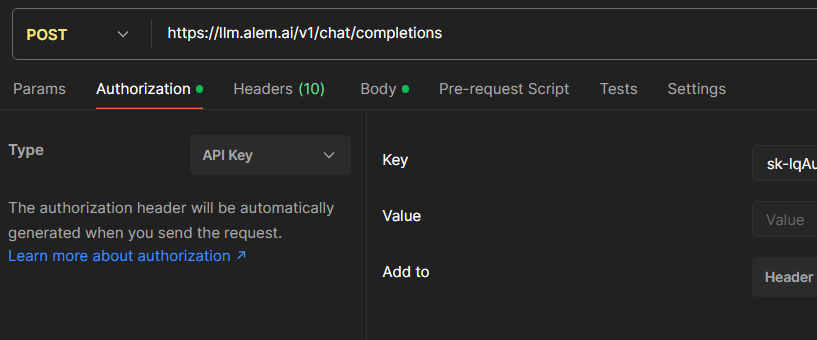
Укажите KEY и VALUE
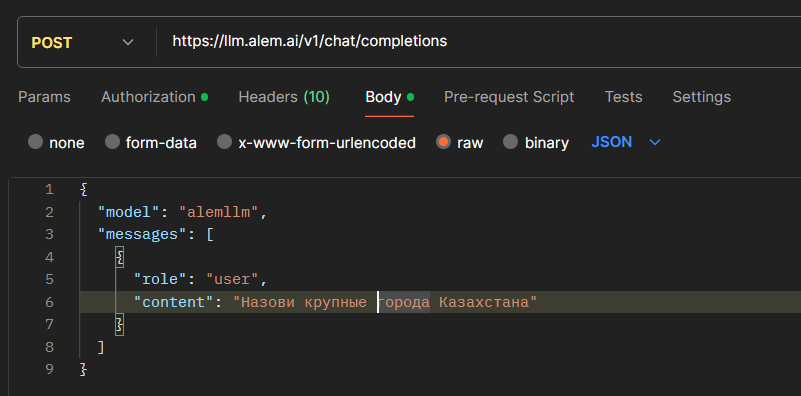
Укажите model и input
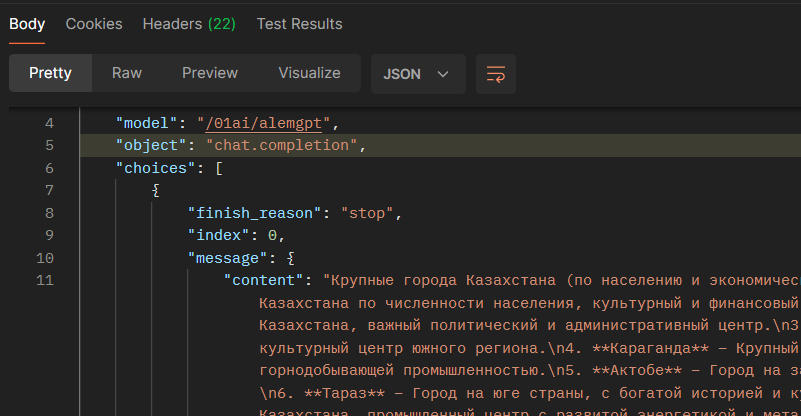
Нажмите Send
Как сочетать AlemLLM с другими сервисами
1) Оркестрация и интеграции
- Сборка бизнес-процессов и вебхуки: n8n